
Accessibility
Target: WCAG 2.2 Level AA. This page records how the site addresses each relevant criterion, how that has been verified, and what remains open. It is written to be handed to a State of Montana accessibility reviewer as a starting map, not as a certification.
Last updated: June 12, 2026.
How the site is built
The site is a server-rendered application. Almost all interaction uses native HTML elements (links, buttons, forms, tables), which carry their keyboard behavior and assistive-technology semantics for free. The few custom widgets (writeup tabs, the trail map) add explicit ARIA roles and keyboard handling, noted in the conformance map below.
All colors are driven by a CSS variable skin system. The default skin was designed against AA contrast; the dark skin had its soft-text color lifted specifically to pass contrast minimums.
Conformance map
Perceivable
- 1.1.1 Non-text contentImplemented
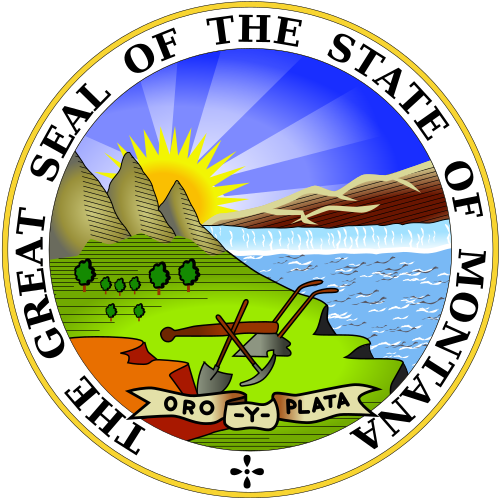
The State Seal and Modus mark carry alt text; decorative SVGs (terrain, flags, contour lines) are aria-hidden. Trail-map waypoints carry full aria-labels (“Unit 4: Outputs, Outcomes, Impact (complete)”).
- 1.2.2 Captions (prerecorded)Partial
Unit videos play through Mux with auto-generated English caption tracks (CC button in the player). Open: auto-captions need a human correction pass before the cohort relies on them.
- 1.3.1 Info and relationshipsImplemented
Semantic landmarks throughout (aside sidebar, nav, main, figure, real tables in admin). Form inputs are labeled (see 3.3.2).
- 1.4.3 Contrast (minimum)Implemented
Skin palettes designed against AA. Ming’s soft-ink color lightened for body text on the dark surface. Hero bands use ivory text on deep zone colors (navy/burgundy/forest), all well past 4.5:1.
- 1.4.4 Resize textImplemented
Type in rem/em; layouts reflow. No fixed-height text containers.
- 1.4.10 ReflowImplemented
All pages reflow to narrow viewports (the app sidebar becomes a top bar below 1024px). The trail map scrolls horizontally rather than shrinking below legibility; that is the two-dimensional-content exception the criterion allows for maps.
- 1.4.11 Non-text contrastImplemented
Focus rings (2px, accent on surface), waypoint badges (2px deep-color ring), and form field borders all exceed 3:1 against adjacent colors.
Operable
- 2.1.1 KeyboardImplemented
Native elements throughout. The writeup tabs implement a tablist with Left/Right arrow-key navigation. Trail-map waypoints are real anchors, tabbable in document order. The video player ships full keyboard support.
- 2.2.2 Pause, stop, hideImplemented
The only autonomous motion is the trail map’s pulsing “you are here” ring; it stops under prefers-reduced-motion.
- 2.4.1 Bypass blocksImplemented
Skip links in both layouts (public pages and signed-in pages), visually hidden until keyboard focus, then shown as a fixed high-contrast pill.
- 2.4.6 Headings and labelsImplemented
One h1 per page; section structure follows heading levels; admin table columns are labeled th cells.
- 2.4.7 Focus visibleImplemented
Global :focus-visible ring styles applied site-wide.
- 2.4.11 Focus not obscured (2.2)Implemented
The skip-link pill renders fixed at the top-left above all chrome; no sticky element covers focused controls.
- 2.5.8 Target size minimum (2.2)Implemented
Interactive targets meet the 24px floor: trail waypoints are 36px badges, nav links and buttons carry padding past 24px height.
Understandable
- 3.1.1 Language of pageImplemented
The document declares lang=“en”.
- 3.2.3 Consistent navigationImplemented
The app sidebar and course rail render identically on every signed-in page (single layout components).
- 3.3.2 Labels or instructionsImplemented
Login, change-password, admin add-learner, pulse checks, and comment forms all have programmatic labels.
- 3.3.8 Accessible authentication (2.2)Implemented
Email + password only. No CAPTCHA, no puzzle, no transcription. Paste is not blocked and a show/hide toggle lets a learner verify what they typed, so password managers work. Admin-assisted reset exists; self-serve reset is planned and will also be paste-friendly.
Robust
- 4.1.2 Name, role, valueImplemented
Native elements first; custom tabs expose role tab/tablist/tabpanel with aria-selected and aria-controls; route changes are announced by the built-in route announcer.
How this has been verified
- Automated / structural: markup and computed-style checks during development.
- Keyboard walkthroughs: tab-order and arrow-key behavior on the unit page, login, and admin.
- Not yet done: a full screen-reader pass (NVDA or JAWS) and an automated axe/Lighthouse sweep across all routes, recommended before any formal SITSD review.
Known gaps and watchlist
- Caption quality (1.2.2): auto-captions are present but uncorrected. Each video’s track is hand-reviewed as it ships.
- Screen-reader pass: a full NVDA/JAWS walkthrough is scheduled before cohort launch hardening.
- Admin-only editor and the annotation overlay are instructor-facing custom surfaces that have not yet been audited.
- Slide decks are projection-oriented standalone pages; keyboard-navigable, but not yet given a criterion-by-criterion pass.
- Trail map on very narrow screens relies on horizontal scroll; the scroll container is being verified for keyboard and screen-reader operability.
Reporting a barrier
If you encounter an accessibility barrier on this site, contact Modus Institute at hello@moduscooperandi.com. Please include the page, what you were trying to do, and the assistive technology you were using so we can reproduce and fix it.